
In this article 7 sections
You can have several jobs writing to a Delta table while other jobs and analysts read from it, all at the same time, and everyone still gets consistent data. That works because Delta transactions follow ACID, and it is one of the best features of Delta Lake.
This post is part of my series on Delta tables. In the first part I explained what Delta is and why Fabric uses it, and in the anatomy of a Delta table I opened up the _delta_log folder. This time I look at how that log keeps your tables safe while many processes work on them.
The secret sauce is the log
Most of the magic of Delta sits in the Delta log. Parquet takes care of the storage. The secret sauce is the log and the logic that handles every transaction on the table, together with the fact that each of those transactions follows the ACID rules.
That makes it more science than art. There is a clear mechanism behind it, and once you know how it works, you know what to expect when jobs collide.
What ACID stands for
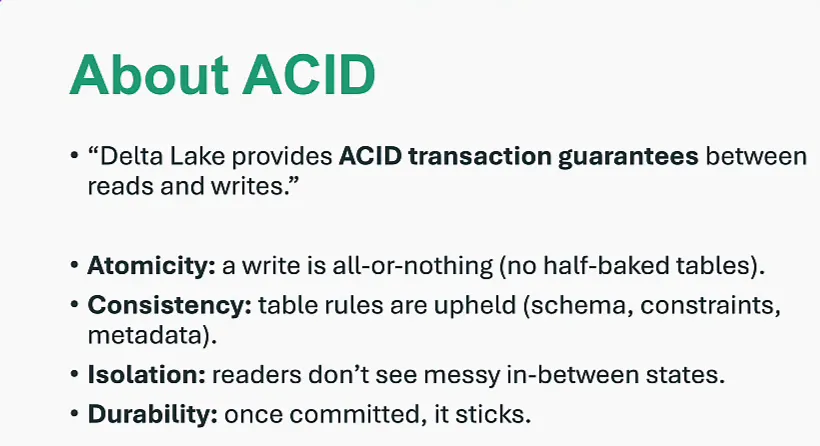
The slide says it in one line: Delta Lake provides ACID transaction guarantees between reads and writes. ACID is an acronym for atomicity, consistency, isolation and durability.
Atomicity: all or nothing
A write is all or nothing. You cannot put half a transaction in a Delta table.
Say you write 100 rows into a table and the process fails halfway through. Delta rolls the transaction back and never commits it. You don’t end up with 50 or 51 rows; you get zero. Only when the transaction completes does it go into the transaction log, and then you get all 100 rows.
Consistency: the table rules hold
The rules of the table are upheld. Delta checks the schema, constraints and metadata, and if your write or update breaks those rules, the transaction doesn’t go through.
Isolation: no in-between states
Readers never see the messy states in between. A transaction is either done or not done, and you can only read the ones that are done. So while someone writes those 100 rows, there is no way for you to read part of them. You read all 100 rows or none of them.
Durability: once committed, it sticks
Once a transaction is committed, it stays in the Delta table. You can see this in how the Parquet files and the transaction log are built up: put 100 rows in, take them out again, and the transaction that added them is still there. Your table history shows that once upon a time those 100 rows were in the table.
What happens when you write
When you write or update data in a Delta table, three things happen:
- Delta writes new Parquet files.
- It commits a transaction to the
_delta_logfolder. - After the commit, readers see a new version of the table.
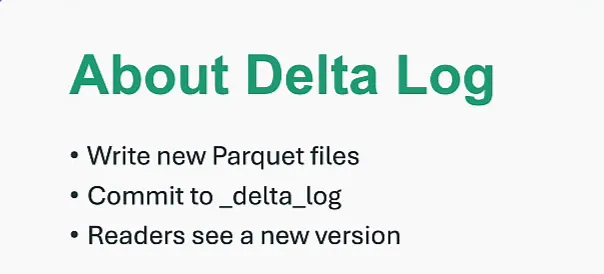
So the table was at version one, and now it is at version two, which contains the new commit.
Optimistic concurrency
Delta uses optimistic concurrency control. Writers assume they can always go ahead and write data into Delta, and Delta checks for conflicts at commit time. You need to understand what that means when several writers work on the same table.
Several processes can attempt writes, updates or inserts on the same table at once, but only one of them can commit a new version. Say the table is at version one and two processes both try to create version two. That cannot happen. Conflicting writes are rejected or retried, so the table doesn’t get silently corrupted. Commits land one after another, and the history of commits is preserved.
Readers always get a snapshot
This is really important for anyone reading the data. As a reader you get a consistent snapshot of the table as of the last commit, so you always see a stable table state, even while writes are happening.
A write can take minutes, or hours, or however long it takes. During that write, readers see the previous version of the table. They only see the new version once the write is complete and the transaction is committed to the Delta log.
As a reader you always see a stable table state, even while writes are happening.
Two jobs and an analyst
Now picture this on Fabric:
- Job A, a pipeline, ingests new data every minute. It just trickles in.
- Job B runs
optimizeor another maintenance routine on the same table. - Meanwhile an analyst reads from the table with a SQL query or a Spark notebook.
With Delta, the analyst never sees half of transaction A and half of transaction B. They see a clean snapshot: before A and B, after A but before B, or after B. That makes sense when you remember that a reader only sees a transaction once it is fully committed.
Recap
- The Delta transaction log is what makes a file like a Parquet file behave like a real table.
- It records changes as versioned commits, which I showed in the anatomy of a Delta table.
- Checkpoints keep reading the log fast; they are in that post as well.
- ACID guarantees come from optimistic concurrency for writers and snapshots for readers.
Now that we know writing is safe, the next part of the series looks at how Delta keeps your table from turning into schema soup. Schema enforcement is a really important part of a Delta table, and schema evolution is something we need to think about as data engineers on Microsoft Fabric. Those guardrails stop you from ruining your day.
