
In this article 5 sections
There are three ways to make your data available in Microsoft Fabric: shortcuts, mirroring and copying data into OneLake. Each step down that list adds compute, storage or an ETL process you have to look after, so I always go through them in the same order.
OneLake is built on the idea that you should not copy data if you don’t have to. Copying takes time and costs compute, so why would you copy when you can link to the place where the data already lives?
Shortcuts: point to the data and leave it where it is
A shortcut points OneLake to a location where data is stored. Nothing gets copied: OneLake only holds a pointer to the other data store, and your Fabric workloads read the data from there.
That makes shortcuts my absolute preferred option. No data is copied, so there is no ETL process, nothing to manage and no storage cost for you. Strictly speaking nothing ends up in Fabric at all: you access the data from within Fabric while it stays where it is. If your source supports shortcuts, I would always create a shortcut.
You can shortcut to a lot of sources. Inside Fabric you can shortcut to OneLake, for example to other lakehouses. Outside Fabric there are Azure Blob Storage accounts, Azure Data Lake Storage Gen2 and third-party providers such as Amazon S3. So if your data lands in an S3 bucket for whatever reason, you create a shortcut to that bucket and use it in Fabric.
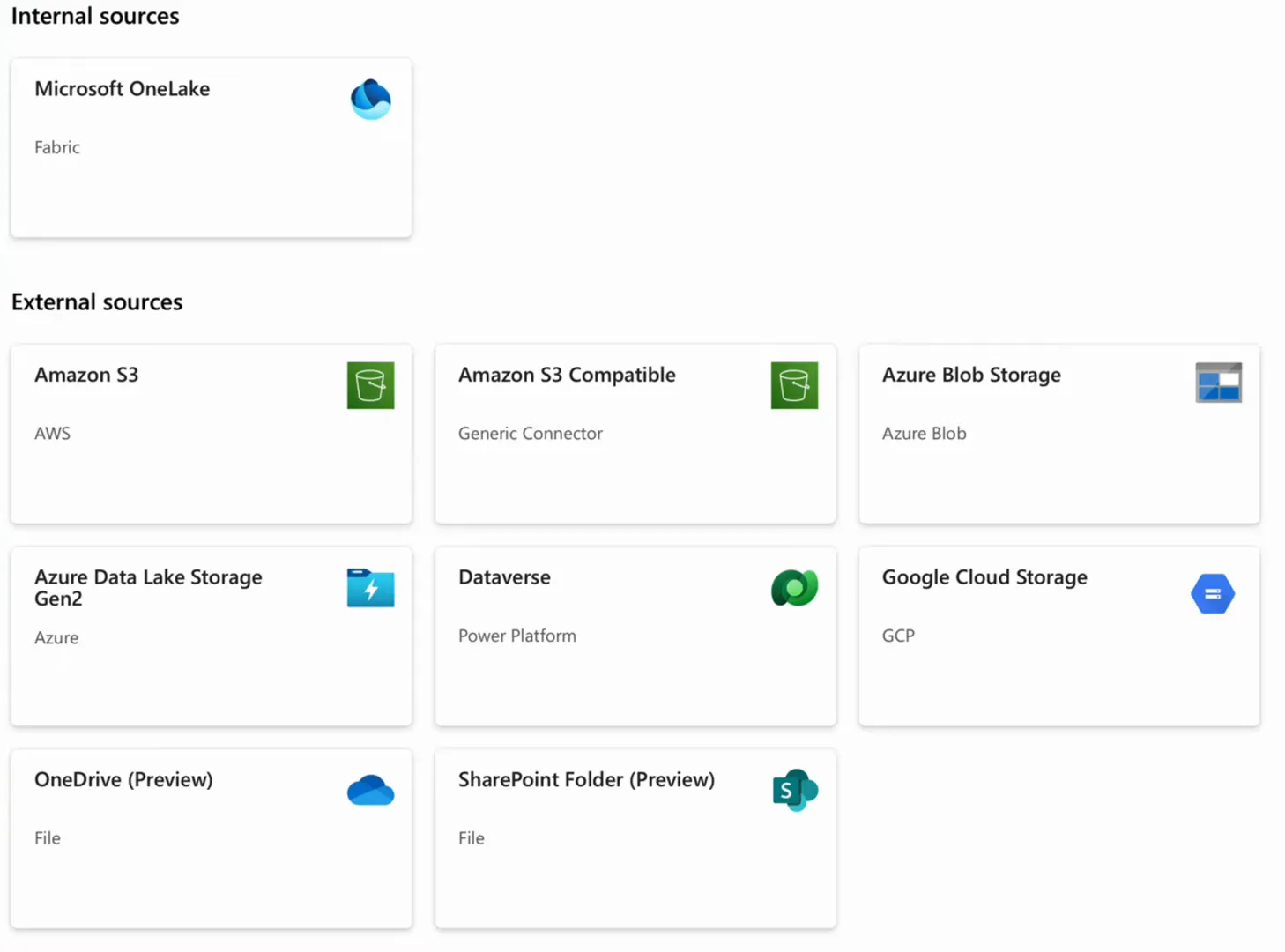
If you want to see how to create one, I walk through table and folder shortcuts in All about Lakehouse in Microsoft Fabric.
Mirroring: a copy without the ETL
What if your source does not support shortcuts? Then you have to physically copy data from the source into OneLake, and this is where mirroring comes in.
With copy jobs, copy activities and the like, you write code, build a solution and schedule it to get data into OneLake (more on that below). With mirroring you manage none of that. Yes, the data still physically moves from an external source into OneLake, but the source makes sure your copy in OneLake stays up to date. There is no ETL process for you to look after, which is quite cool, and why I call it a zero ETL solution.
Mirroring is the most commonly used ingestion mechanism when the source is a SQL Server database. Fabric can mirror plenty of other sources too, but in my company we see it with SQL Server most of all.
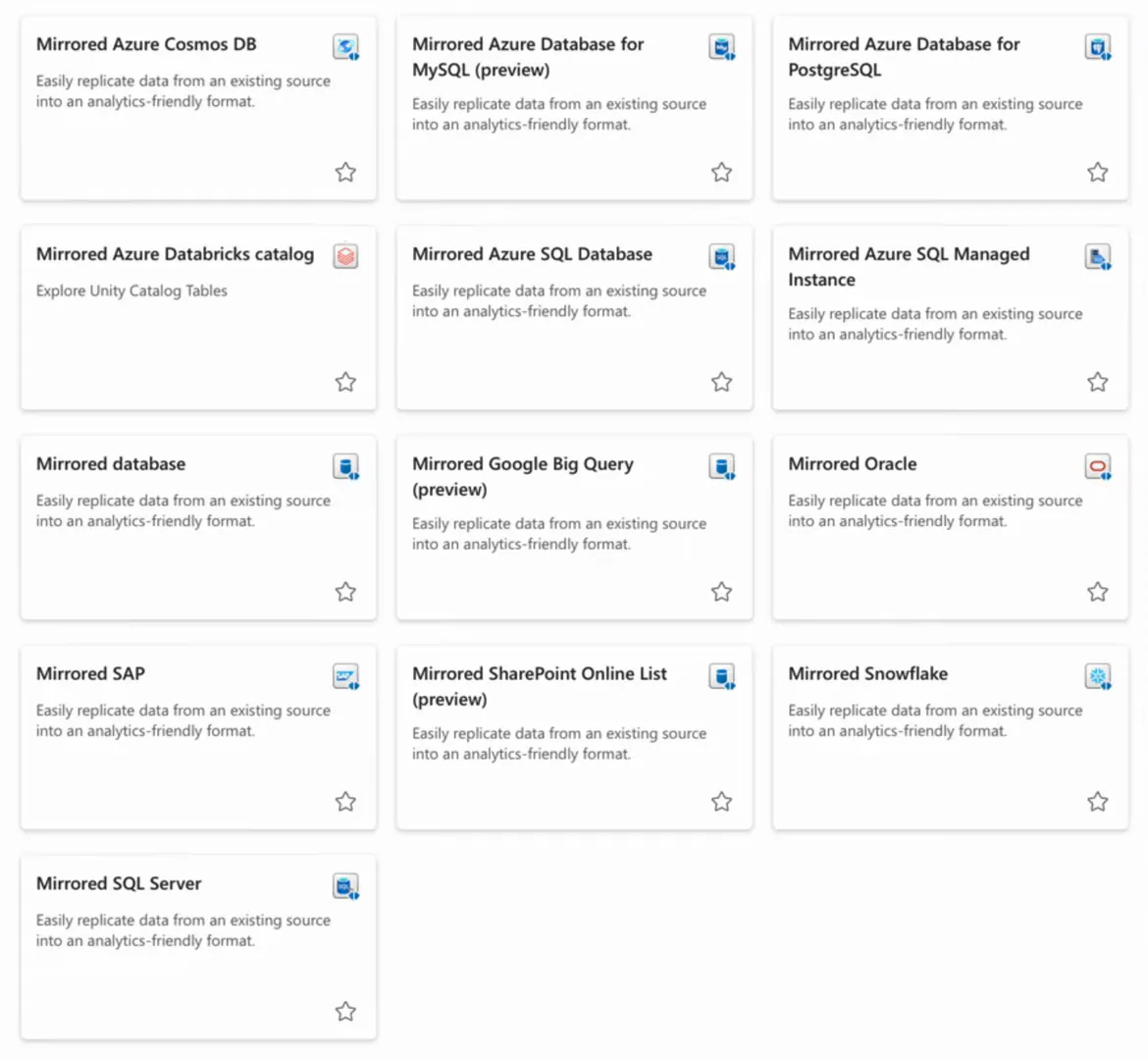
If you have a SQL Server or an Azure SQL database and you want its data in Fabric, you can mirror that database once a few prerequisites are in place.
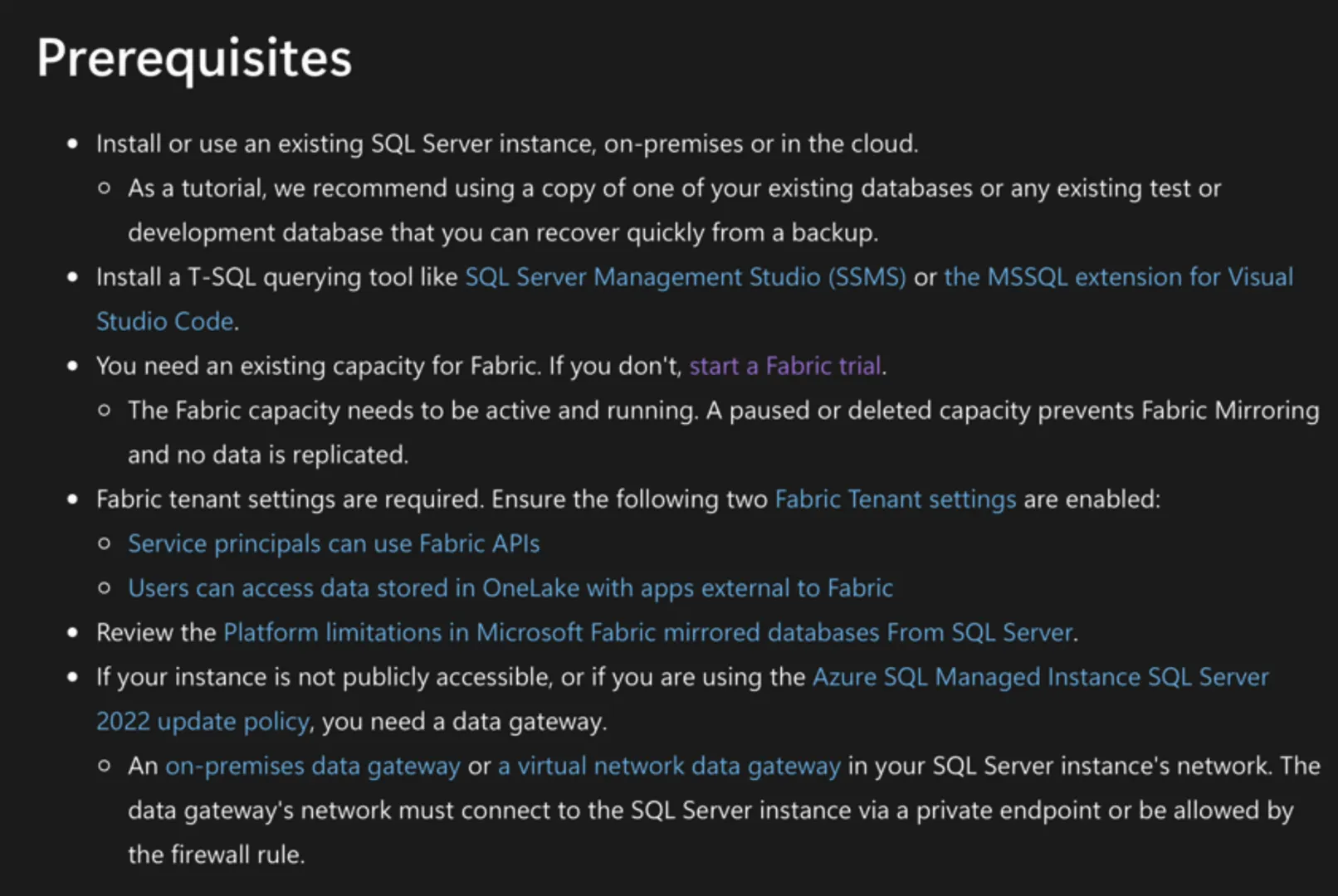
Under the hood, Fabric subscribes itself to the transaction log of the source database. Whenever a row is inserted, updated or deleted there, the same transaction is replicated on your Fabric mirror. For an on-premises SQL Server, I put the on-premises data gateway on that network and start mirroring the database.
I won’t bore you with all the technicalities, because this is a what-do-I-pick post: you pick mirroring when your source supports mirroring but not shortcuts.
What mirroring costs
Mirroring does store data in Fabric, so it might cost you some money. It probably won’t. You get free mirroring storage up to the number of terabytes in your F SKU: 1 TB for every F-SKU number. On an F2 capacity that is 2 TB of mirrored database storage for free, on an F64 it is 64 TB, and so on. In most cases, mirroring adds nothing to your storage bill.
If you go over the allowance, you pay the regular OneLake storage price. At the time of recording I believe that is about 2.2 cents per gigabyte per month in West Europe, or 22 euros per terabyte per month. So even above the free allowance, the storage is cheap.
How fast it is
Mirroring is really, really fast. It is near real time: we usually see a delay of seconds rather than minutes. Even if it were a minute or a couple of minutes, that would be fine for my type of customers.
Copying data: the last resort
If your source supports neither shortcuts nor mirroring, you fall back to copying data into Fabric. There are a few ways to do that.
Notebooks for APIs
We usually write notebooks when we extract data from an API. Say there is a REST API online that we have access to and need data from. We write a Python notebook that connects to the API, captures the JSON response and writes it to the lakehouse. I show what that can look like in extracting paginating APIs with Fabric notebooks.
This is a code-heavy solution, and it is ours to manage: we schedule it, maintain it and update it. Then again, when you can’t shortcut or mirror the data, this is what you can do.
Copy jobs and copy activities
A copy job or a copy activity copies data from one location to another, and both can be scheduled through Fabric Data Factory pipelines. That can be a very good way to get data into OneLake for your Fabric workloads, and I built a metadata-driven version with a copy activity in Metadata Driven Ingestion into Fabric with Pipelines.
It may be less code-heavy than a notebook, but it is still a solution you maintain, manage and schedule. Whether you copy with pipelines or with notebooks scheduled from a pipeline, there is work involved in running the transfer.
Dataflow Gen2
You can also use Dataflow Gen2. I’m personally not really a fan. If you are more of a low-code developer, though, it gives you a what-you-see-is-what-you-get editor to connect to a data source and store that data in OneLake. I compared it with a notebook in Dataflows vs Notebooks.
Who pays for the compute
Besides the developer work of building and maintaining a copy solution, there is the compute. When you run a notebook, your Fabric capacity consumes capacity units. When you run a copy activity in a pipeline, that consumes compute on your capacity too. Copying data is not free.
With mirroring, the source system handles the compute, so from the Fabric point of view it is free. With shortcuts there is no data transfer whatsoever, so there is no compute either. That makes a really good case for looking at shortcuts and mirroring first.
| Shortcut | Mirroring | Copying data | |
|---|---|---|---|
| Data in OneLake | A pointer to the source | Replicated from the source | Copied by your own process |
| ETL to build and maintain | None | None | Yes, and you schedule it |
| Fabric compute | None | Handled by the source system | Consumes capacity units |
| OneLake storage | None | Free up to 1 TB per F-SKU number, then regular OneLake storage | You pay for it |
| Where I use it | OneLake, Azure Blob Storage, Amazon S3 | SQL Server and Azure SQL databases | REST APIs and anything else |
My order of preference
When I make data available in Fabric, it is so I can use it in Power BI, in notebooks, in machine learning, AI and data agents. Having all of it physically present in OneLake is not something I think about.
I don’t care where my data is physically. I just want to use it in my Fabric workloads.
So this is the order I go through:
- Shortcut if I can: to S3, to Blob Storage and so on.
- Mirror if I can’t shortcut. For a SQL Server database I put the on-premises data gateway on that network and start mirroring. That means no compute costs and no ETL solution to manage and maintain.
- Copy only when both of those fail. For a REST API I write some quick Python to get the JSON responses into my lakehouse. For anything else I look at copy jobs and copy activities, or Dataflow Gen2 if low code is more your thing.
